Top 12 Reasons Why Your Business Needs an Inventory Management Software
Every business that deals with products needs to manage its stock carefully. When stock is not controlled properly, issues can arise quickly. Orders may be delayed, costs can increase, and customer trust may be affected. An inventory management software helps you handle this process with better control and clear visibility.

As a business grows, manual methods become harder to manage. Spreadsheets and paper records often cannot keep up with daily changes. A structured system, on the other hand, provides a clear view of stock movement at all times. This supports better decision-making and improves overall operations.
Good inventory management also helps save time and reduce costs. It limits waste, lowers pressure on staff, and creates a more efficient workflow. This builds a strong foundation for steady business growth.
What is an Inventory Management System?
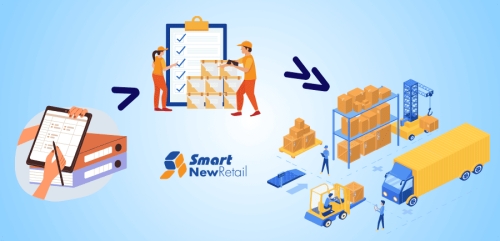
An inventory management system tracks, organises and controls stock from purchase to sale. It records each item that enters your storage and follows it until it leaves your business.
In simple terms, it works like a central control point. It answers key questions that guide daily work. You can check what you own, where it sits and how fast it moves. This helps you maintain balance between supply and demand.
Without such a system, businesses often rely on guesswork. This leads to errors and confusion. However, with a proper structure in place, you gain confidence in every decision. You move from reaction to planning, which improves both speed and accuracy.
Core Features of Inventory Management Software
Every business needs clear tools to track and control stock. These features help you manage items with ease and keep daily work smooth.
Real-time Inventory Tracking
Real-time tracking gives you a live view of your stock. Each sale, return, or transfer updates the system at once. This removes doubt and keeps records accurate. As a result, you avoid sudden shortages and plan with ease.
Barcode and RFID Scanning
Scanning tools replace manual entry with quick and precise actions. Staff scan items and record data in seconds. This cuts errors and speeds up daily tasks. It also creates a smooth flow in busy environments.
Automated Stock Reordering
The system tracks minimum stock levels and triggers alerts when levels drop. This ensures that you restock on time. You no longer rely on memory or manual checks. Therefore, your shelves remain filled without excess.
Multi-location Inventory Management
Many businesses store goods in more than one place. This feature helps you track stock across all locations. You can move items where demand rises and keep operations balanced.
Demand Forecasting
Demand forecasting studies past sales and predicts future needs. It helps you prepare for busy periods and avoid overstock. With this insight, you plan with confidence and reduce waste.
Reporting and Analytics Dashboards
Clear reports help you understand how your stock performs. Dashboards display trends, sales patterns and stock movement. This allows you to spot issues and act quickly.
Inventory Valuation Tracking
This feature shows the value of your stock at any moment. It supports budgeting and financial planning. You can track how your inventory impacts your overall business health.
Integration with Other Systems
The system connects with tools such as sales and accounting platforms. This creates a smooth flow of data across your business. You avoid duplication and reduce manual work.
Mobile Accessibility
Mobile access allows you to check inventory from any location. You stay connected even when you are away from your desk. This adds flexibility to your operations.
Batch and Expiry Tracking
For products with limited shelf life, tracking batches and expiry dates is essential. This helps you use older stock first and reduce waste.
These features show how inventory management software supports smooth and organised operations.
You can also Read Smart Inventory Management Software for Faster Control
Top Benefits of an Inventory Management System
A good system brings order and clarity to your stock process. It helps you save time, cut waste, and improve overall business performance.

Improved Inventory Accuracy
Accurate data forms the backbone of any business. When your records stay correct, you avoid confusion and delays. The system logs every movement, which keeps stock data reliable.
Reduced Operational Costs
Better control over stock reduces waste and storage costs. You avoid holding excess goods that tie up capital. This frees resources for other needs.
Better Demand Forecasting
With clear data, you can predict demand with greater ease. You prepare for busy periods and avoid shortages. This creates stability in your supply chain.
Increased Operational Efficiency
The system speeds up routine tasks. Staff spend less time on manual checks and more time on productive work. This improves the overall flow of operations.
Real-time Visibility Across Locations
You can view stock across all storage points in one place. This allows you to shift goods where they are needed. It keeps your supply balanced.
Enhanced Customer Satisfaction
Customers expect quick service and accurate orders. When your stock stays organised, you meet these expectations with ease. This builds trust and loyalty.
Faster Order Fulfilment
Clear stock data helps teams pick and pack items without delay. Orders move quickly from storage to delivery.
Reduced Stockouts and Overstocking
Balanced stock levels protect your business from both shortages and excess. You keep the right amount of goods at all times.
Better Decision-making with Analytics
Data provides insight into trends and patterns. You make informed choices that support growth and reduce risk.
Improved Warehouse Productivity
Clear processes help staff work with speed and precision. This boosts output and reduces mistakes.
Scalability for Growing Businesses
As your business expands, the system adapts to new demands. You handle larger volumes without losing control.
Loss Prevention and Shrinkage Control
Tracking tools help you spot missing items. This protects your stock and reduces loss.
Types of Inventory Management Systems
Different systems help businesses manage stock in simple ways. Each type suits different needs based on size, work style and control.

Manual Inventory System
A manual inventory system uses paper or basic spreadsheets to record stock details. It suits small businesses with limited products, but it often leads to errors, delays and poor tracking when stock levels change quickly.
Periodic Inventory System
A periodic inventory system updates stock records at fixed times, such as weekly or monthly. It works for small operations, but it does not show real-time data, which can cause confusion and mistakes during busy periods.
Perpetual Inventory System
A perpetual inventory system tracks stock at all times. It updates records after every sale or purchase. This system gives accurate data, improves control and helps businesses make quick and clear decisions about inventory levels.
Cloud-based Inventory System
A cloud-based inventory system stores data online and allows access from any location. It helps teams stay connected and manage stock easily. This system supports growing businesses that need flexible and simple inventory control across locations.
Who Needs Inventory Management Software?
Businesses that handle stock at any stage need clear tracking tools to maintain control, reduce errors and support smooth daily operations.
- Retail stores that manage large product ranges
- Manufacturers handling raw materials and finished goods
- Wholesalers dealing with bulk stock and multiple clients
- E-commerce sellers managing fast-moving orders
- Distributors coordinating supply across regions
- Warehouses storing and organising goods
- Food businesses tracking perishable items and expiry dates
- Healthcare providers managing medical supplies
- Construction firms handling tools and materials
- Service businesses that rely on spare parts
Signs Your Business Needs an Inventory Management System
A few clear signs show when your business needs better stock control to avoid errors, delays and lost sales.
- You run out of stock often
- You keep too much unsold stock
- You cannot find items quickly
- Your stock records show wrong numbers
- Your team checks stock by hand
- Orders get delayed or mixed up
- Customers complain about missing items
- You lose track of items in storage
- You struggle to plan future stock
- Your business grows, but systems stay basic
How to Choose the Right Inventory Management Software
Choosing the right tool requires clear thinking. Start by reviewing your business needs and goals. Look for a system that offers simple use and strong features.
Consider how well it fits your current process. It should support your workflow and not create extra steps. Also, think about future growth. The system should handle increased demand without strain.
Test the system before you commit. This helps you understand how it works in real situations. A good choice will support your team and improve daily tasks.
Challenges Without Inventory Management Software
Without proper tools, businesses face daily stock problems that slow work, reduce sales and create confusion across teams.
- Poor Stock Visibility: You cannot see what items you have or where they are at any time
- Frequent Stock Errors: Manual records often contain wrong numbers, which leads to confusion and wrong decisions
- Delayed Order Processing: Orders take more time because staff must check stock by hand before confirming sales
- Overstock Issues: You may store too many items, which takes up space and locks your money
- Stock Shortages: Items may run out without warning, which leads to missed sales and unhappy customers
- Increased Labour Effort: Staff spend more time on stock checks instead of focusing on important tasks
- Lack of Data Insights: You do not get clear reports, so you cannot understand trends or plan ahead
- Higher Risk of Loss: Missing or damaged items may go unnoticed, which increases loss over time
- Poor Customer Experience: Customers face delays or wrong orders, which reduces trust in your business
Conclusion
Every product-based business achieves success through effective inventory management systems. Businesses that control their inventory correctly will minimise their business dangers while achieving more successful results. A structured system brings clarity and stability to daily operations.
An inventory management system helps you track, plan and grow with confidence. The system reduces errors while it delivers enhanced service quality to help businesses achieve lasting success. Businesses that choose appropriate tools will build their operations for upcoming business obstacles and potential business advantages.
FAQs
An inventory management system helps you track stock, record item movement and keep data clear. It shows what items you have, where they are and when you need to restock.
Inventory control helps you avoid running out of stock or holding too much. It keeps your operations smooth, reduces waste and helps you serve customers on time without delays or errors.
Yes, small businesses can use inventory management software to stay organised. It helps them save time, reduce manual work and keep track of stock with better accuracy and less effort.
Inventory management software records each stock movement in real time. This reduces human error and keeps data correct. As a result, you always know your stock levels without checking manually.
Look for features like real-time tracking, simple reports and easy use. A good system should fit your business needs, support growth and help your team manage stock without confusion.