E-Invoice Middleware Malaysia:
Keep Your Existing ERP, POS or Accounting System
Already using an ERP, POS or accounting system that works well for your business?
Malaysia's e-Invoice implementation does not necessarily mean you have to replace your existing software.
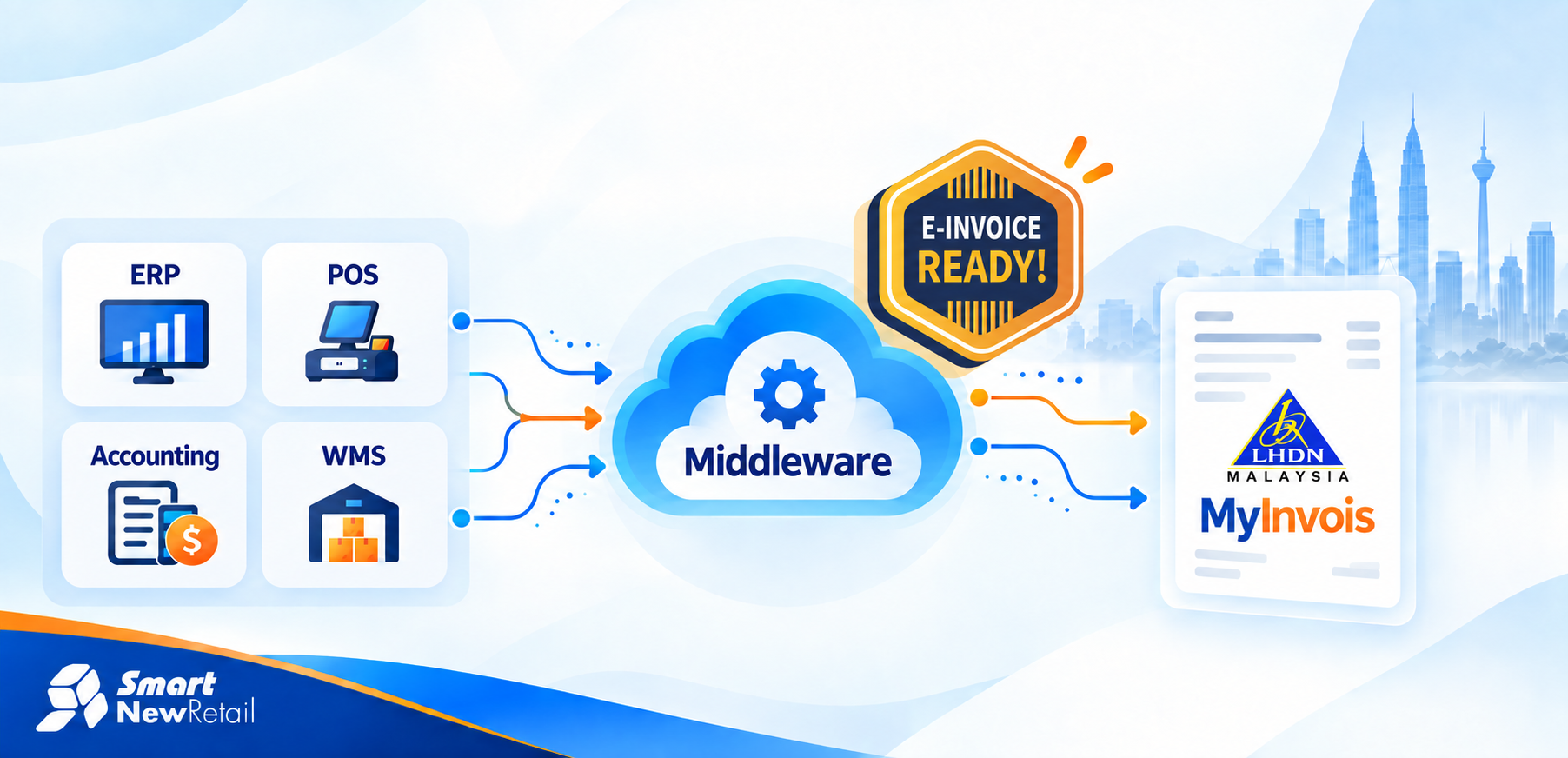
For businesses whose current systems do not connect directly with LHDN MyInvois, e-Invoice middleware can act as the bridge between the software you already use and MyInvois.
Instead of moving your operations to an entirely new platform, middleware allows transaction data from your ERP, POS, accounting, WMS or other business system to be prepared and submitted through an integrated e-Invoice workflow.
In this article, we'll explain how it works, when middleware may be useful, and the difference between file-based and API integration.
What Is E-Invoice Middleware?
E-Invoice middleware is an integration layer that connects your existing business software with the MyInvois platform.
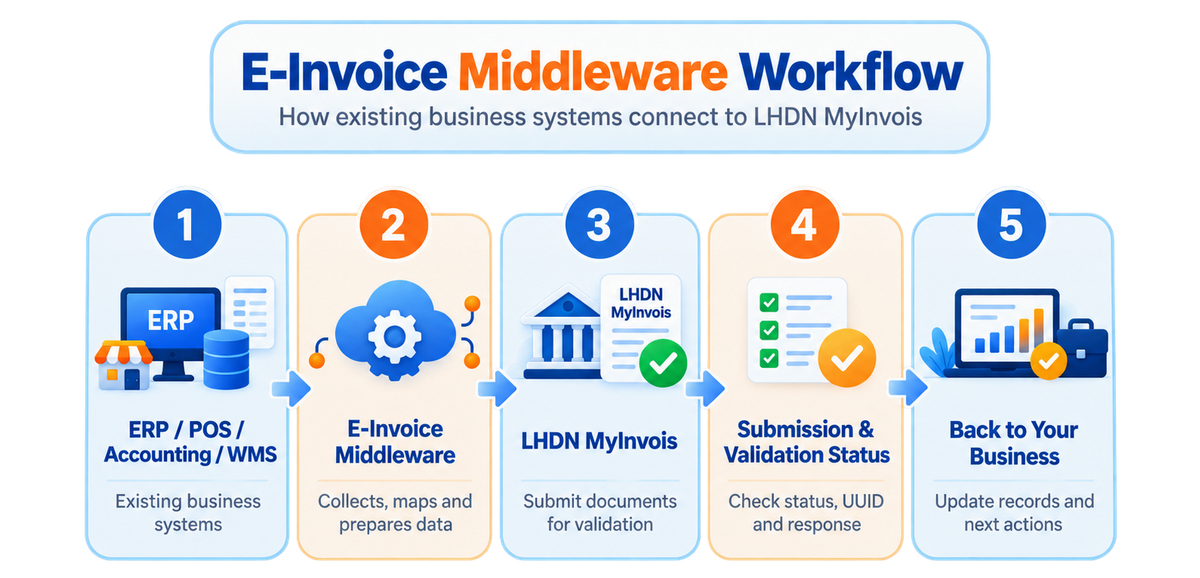
MyInvois provides APIs that allow taxpayer ERP systems and integration solutions to submit documents and retrieve information such as submission and validation results.
The middleware sits between these systems and manages the connection.
Why does this matter?
Because the software that runs your business may already contain everything you need for daily operations—sales, customers, inventory, accounting and invoicing.
The missing part may simply be the connection to MyInvois.
Do You Need to Replace Your Existing System?
Not necessarily.
Before replacing your ERP, POS or accounting software, it is worth asking:
Can my existing system provide the transaction data required for e-Invoice?
If the answer is yes, there may be an opportunity to integrate it.
For example, a business might already be using:
- an ERP for purchasing and accounting;
- a POS system across multiple branches;
- a warehouse management system;
- SAP or another enterprise platform; or
- customised software developed specifically for its operations.
Replacing these systems can affect workflows, staff training and existing integrations.
Middleware provides another option:
Keep the system. Add the connection.
The appropriate integration method will depend on how your current software stores and exchanges data.
File-Based vs API E-Invoice Integration
Not every existing system has the same technical capability.
That is why middleware implementations can use different integration approaches.
File-Based Integration
Your existing system exports transaction data into an agreed file format or location.
The middleware then reads the information and processes it for e-Invoice submission.
This can be useful for:
legacy systems, software without an available API, or businesses that want a simpler integration approach.
API Integration
The existing business system sends transaction information directly to the middleware through an API.
This provides a higher level of automation and is usually more suitable for systems that already support system-to-system connectivity.
| File-Based | API Integration | |
|---|---|---|
| Data transfer | Exported file | Direct system connection |
| Automation | Semi-automated | Higher automation |
| Existing API required | Usually no | Yes |
| Complexity | Lower | Higher |
| Suitable for | Legacy/simple systems | Modern/high-volume systems |
| Replace existing software? | No | No |
The better option depends on your system environment rather than simply choosing the most advanced technology.
When Does E-Invoice Middleware Make Sense?
Middleware becomes particularly useful when the challenge is not e-Invoice itself, but connecting multiple or existing systems.
For example:
Multi-Outlet Retailer
A retailer may have POS systems in many outlets while accounting and inventory are managed centrally.
Instead of changing every store's workflow, middleware can provide a central connection for e-Invoice processing.
Existing ERP User
A company may have invested years in configuring its ERP.
If the ERP can provide the necessary transaction data but lacks a suitable MyInvois connection, middleware may be more practical than replacing the entire platform.
Multiple Business Systems
Some businesses operate:
ERP + POS + WMS + e-commerce + accounting
Connecting each system independently can create additional integration work.
Middleware can provide a common layer between relevant systems and MyInvois.
Legacy or Custom Software
Older or customised business software may still perform its core job effectively despite not having built-in Malaysian e-Invoice functionality.
A file-based or customised integration may allow the business to retain that system.
What Should You Look for in an E-Invoice Middleware Solution?
Before selecting a middleware provider, check more than whether the software can simply “send to LHDN.”
Look at whether it can work with your existing systems, support the required integration method, provide submission visibility and handle exceptions when transactions require attention.
Important areas include:
System compatibility · File/API connectivity · Data validation · Submission tracking · Error visibility · Security · Scalability · Technical support · Future MyInvois updates
MyInvois itself provides APIs for functions including TIN validation, document submission, document retrieval and submission-status checking, so a reliable integration needs to consider the broader workflow rather than only transmission.
Already Have an ERP or POS? You May Not Need to Start Over
If your existing software already supports your business well, e-Invoice compliance does not automatically mean rebuilding your entire system environment.
The first step should be to assess:
What system are you currently using?
Where is your invoice data stored?
Can the system export files or provide an API?
How many systems and branches are involved?
How much automation do you require?
From there, an appropriate integration method can be planned.
SMART E-Invoice Middleware
At Smart New Retail, our SMART E-Invoice Middleware is designed to connect existing business systems with Malaysia's e-Invoice environment through integration rather than unnecessary system replacement.
Whether your current setup involves ERP, POS, accounting, warehouse or other business software, the first step is to understand the existing workflow and determine the most suitable connection method.
''Keep your current system. Connect it to MyInvois.''
Learn More >>> Explore SMART E-Invoice Middleware
BOOK DEMO >>> Discuss Your Existing System With Us
FAQ
No. Business size is only one factor. The number of systems, existing software capability, transaction volume and desired level of automation are also important.
Yes! It may be possible if your ERP can provide the required transaction information through files, APIs or another supported integration method. A system assessment is normally required.
Yes, depending on the POS architecture and how transaction data can be accessed or exported.
Not necessarily. API integration offers greater automation, while file-based integration can be practical for systems without API capabilities.
No. If your current system can provide the required data, an integration layer may allow it to continue being used.