Point of Sale Malaysia: Choosing the Right POS System for Retail & Grocery Stores
Running a shop involves many moving parts that need constant care and organisation. Business owners need tools that make daily tasks easier and boost overall efficiency. The right tech can turn messy operations into smooth, money-making ventures. Many Malaysian shop owners now use digital solutions to stay ahead of their rivals.
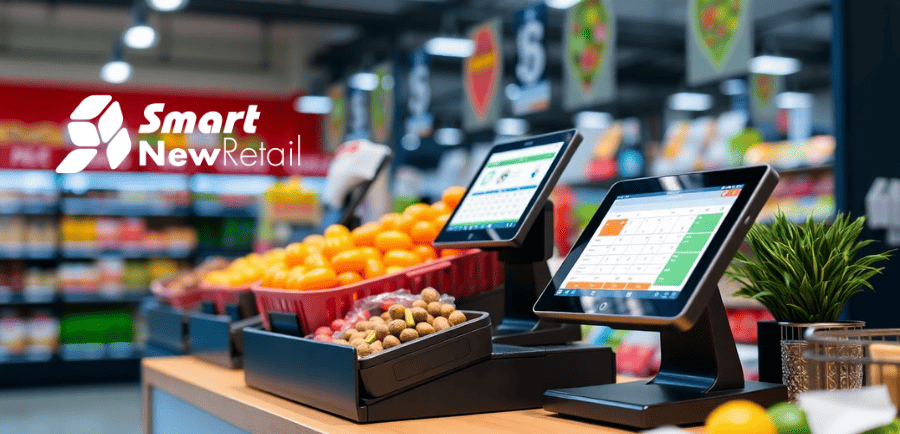
A modern point of sale in Malaysia does much more than just take customer payments. This strong tool tracks stock, watches sales patterns, and builds customer ties all at once. Shop owners who use these systems gain a clear edge over rivals still using paper and pen. This guide explains how to pick the perfect system for your retail or grocery shop.
What Is a Point of Sale System and How Does It Work in Malaysia
A point of sale system acts as the main spot where buyers finish their purchase deals. This setup includes gear like cash drawers, receipt printers, and barcode scanners. The software part records every sale and updates stock counts on its own right away. When a cashier scans an item, the system takes that product from available stock numbers.
- The hardware parts work as a team to catch sales data fast and without errors. Barcode scanners read product codes in a snap, stopping price typing mistakes. Receipt printers make customer copies within seconds after payment ends.
- The software updates stock counts on its own after each and every sale. This live tracking stops you from selling products that have actually run out. Managers can check current stock levels from anywhere using mobile phones.
Managers can see this data from anywhere through safe cloud links. This ease helps owners make smart choices without being at the shop.
Why POS Systems Are Essential for Retail Businesses in Malaysia
Running a shop without a good sales system creates many hidden problems for owners. Manual tracking leads to stock mix-ups, lost sales, and upset buyers. Modern pos systems for retail fix these issues through automation and correct data gathering. These systems help owners learn which products sell best at different times of the year.
- Auto stock tracking removes the need for slow, manual stock counts by staff. Workers can focus on helping buyers instead of counting boxes in the back room. The system knows exactly how many units of each product are still on hand.
- Sales data shows patterns that help owners make smarter buying choices. You can see which items sell fastest during holidays, rainy seasons, or weekends. This know-how stops you from buying too many slow sellers while keeping popular items in stock.
Smart business choices become possible when you have reliable sales data at your fingertips. Without this info, you run your shop with your eyes closed. A good system pays for itself through better stock control alone.
POS Systems for Retail: Key Features Every Business Needs
Good retail software has several core tools that make daily work much smoother. These features save time, cut errors, and give useful insights about your business.
1. Inventory Management
The system tracks every product from arrival to final sale without manual counting. Stock levels update on their own when items sell or when new shipments reach your store. You get alerts when popular products run low and need new orders.
2. Sales & Billing Automation
Cashiers handle sales fast using barcode scanners instead of typing prices by hand. The system works out totals, adds tax, and prints receipts within seconds. This speed cuts queue times and keeps buyers happy during busy hours.
3. Customer Management
The software stores purchase histories linked to individual shoppers through reward programs. You can find your best buyers and reward them for their steady support. Personal offers based on past buys push repeat visits and higher spending.
4. Reporting & Analytics
Full reports show you exactly how your business does each day, week, or month. You can see total sales, profit margins, and staff output at a single glance. These insights help you make smart choices about pricing, deals, and staff levels.
| Feature | What It Does | Business Gain |
| Stock tracking | Updates stock on its own | Stops out-of-stock issues |
| Sales auto | Handles payments fast | Cuts checkout wait times |
| Buyer profiles | Keeps purchase history | Allows targeted deals |
| Analytics screens | Shows performance data | Guides business choices |
The table above shows key features that every retail system should have. Each tool addresses a specific work need that affects your profit.
POS System for Grocery Store in Malaysia: What Makes It Different
Grocery shops face unique challenges that general retail systems cannot handle well. A pos system for grocery store in Malaysia must track fresh goods with use-by dates. It also needs to handle weighed items like veggies, fruits, and bulk foods. These systems link with electronic scales for the correct pricing of fresh products.
- Use-by date tracking keeps your buyers safe from stale or spoiled goods. The system flags items close to their use-by dates for quick action. You can run markdown reports to clear old stock before it turns into waste.
- The weight scale link removes manual price lookups for fresh produce and bulk items. Cashiers just put products on the scale for the auto price to work out. This speed cuts checkout errors and buyer upset during busy times.
Grocery owners can run markdown reports to clear soon-to-expire items before they become waste. Special software fixes problems that general systems simply cannot solve.
Must-Have Features in a Grocery POS System
Grocery work needs specific tools that general retail software simply does not give. These features keep your business from selling expired products to buyers.
1. Use-By Date Tracking
The system warns you when products near their use-by dates so you can act. You can make auto markdowns to clear old stock before it becomes worthless. This guard stops buyer complaints about stale or spoiled goods.
2. Weight Scale Link
The software links directly to electronic scales used for fresh produce and bulk items. When staff put items on the scale, the system works out prices on its own. This link speeds up checkout and removes manual price lookup errors.
3. Batch and Lot Number Tracking
You can trace every product back to its first supplier using unique batch tags. This skill proves priceless when makers announce product recalls or quality issues. Quick spotting of affected batches keeps your buyers and your name safe.
Benefits of Using a Grocery POS System in Malaysia
Using special software brings real gains to daily grocery work. These gains directly affect your profit and buyer joy levels.
1. Less Food Waste
The system finds products near their use-by dates so you can cut their prices. You move old stock before it becomes worthless, saving money on spoiled goods. This forward guard protects your profit margins and cuts environmental waste.
2. Faster Checkout Times
Cashiers handle weighed items fast without manual price lookups or sums. Buyers spend less time waiting in lines, which boosts their whole shopping trip. Happy shoppers come back more often and spend more money each visit.
3. Better Supplier Control
You can track which sellers give good products and which cause steady issues. The system records delivery dates, amounts received, and any issues with each load. This data helps you strike better deals with reliable sellers over time.
POS Systems for Retail vs Grocery Stores: Key Differences
Knowing the gaps between these system types helps you pick the right fix. A grocery pos system has special tools that general retail software lacks.
1. Product Handling Way
Retail systems treat every product as a simple item with a fixed price and barcode. Grocery software must handle variable-weight goods, catch weights, and meal combos. It also tracks deposits for bottle returns and other grocery-only sales.
2. Stock Complexity
Normal retail shops track simple stock levels without use-by dates or batch numbers. Grocery shops need smart tools to track fresh goods and supplier lot tracking. The software must also handle recipe items like deli salads or bakery goods.
3. Price Structures
General retail uses simple pricing where each item has one fixed selling price. Grocery shops need many price levels for reward members, bulk buys, and deals. They also need auto markdown plans for goods near their use-by dates.
How a POS System Helps Malaysian Businesses Grow
Smart tech use drives business growth through better data and work speed. These systems give the base for steady growth in tough markets.
1. Data-Driven Choices
Sales reports show which products buyers want and which items gather dust on shelves. You can change your stock buys based on real need rather than guessing. This care frees up cash tied up in slow-moving stock.
2. Staff Fine-Tuning
Sales data shows exactly how busy your store gets during different hours and days. You can plan more workers during peak times and fewer during slow times. This speed cuts labor costs while keeping great buyer service levels.
3. Multi-Store Control
Cloud-based systems let you watch sales and stock across all shops from one screen. You can move stock between stores when one shop runs low on hot items. Central control makes work easier and cuts office tasks by a lot.
Common Challenges Without a POS System
Working without modern sales tech creates problems that hurt your shop each day. These issues waste time, money, and buyer goodwill.
1. Stock Mix-Ups
Manual counting leads to wrong stock records that cause order mistakes. You might buy too many slow sellers while running out of hot items. These errors tie up cash in dead stock while missing sales chances.
2. Lost Sales Data
Without digital records, you cannot track which products sell best at different times. You also miss chances to find your most valuable buyers for targeted deals. This blind spot puts you at a loss compared to tech-savvy rivals.
3. Slow Checkout Speeds
Manual price lookups and sums make long lines that upset waiting buyers. Shoppers may drop their buys if lines become too long. Each dropped cart means lost money that you cannot get back later.
How to Choose the Best POS System in Malaysia
Picking the right software needs careful checks of several key points. These thoughts make sure your spending gives the hoped returns.
1. Check Your Shop Type
Know whether you run a general retail store or a grocery shop with special needs. Grocery work needs use-by tracking and a scale link that retail systems lack. Match your software pick to your exact business needs.
2. Check Link Skills
Your POS must talk with accounting software, web shops, and payment gateways. Systems that do not link create data silos and manual work that waste staff time. Ask for link demos before saying yes to any seller.
3. Think About Future Growth
Pick systems that can add new features or support more store locations. Cloud-based fixes often give the most room for growing shops. Plan for your needs two or three years ahead, not just your current state.
Why Choose Our POS System for Retail & Grocery Stores
Smart-ACC gives trusted, feature-rich fixes made for Malaysian retail and grocery shops. Our systems handle everything from simple checkouts to hard use-by date tracking with ease.
The software links with electronic scales, barcode scanners, and top payment gateways. You get live sales data and stock updates that you can see from any device. Our help team helps you set up, learn, and keep your system in good shape.
Conclusion
Picking the right sales system changes how you run your retail or grocery shop each day. A proper point of sale system tracks stock, speeds up checkout, and gives useful insights. Retail systems give core features like stock tracking and sales reports that every shop needs. A grocery system adds use-by tracking and a scale link for fresh goods.
The right grocery pos system guards your profits by cutting waste and boosting speed. Smart-ACC gives trusted fixes made for Malaysian shop owners. Visit Smart-Acc to see how our systems can change your daily work. The right tech partner makes all the difference in your shop's success.